
Version 2.7 — November 2026
District and school administrators can now manage their own users in the portal, and Georgia districts get a school-level view of FTE Optimization built for the people who code students.
Manage Your Users in the Portal
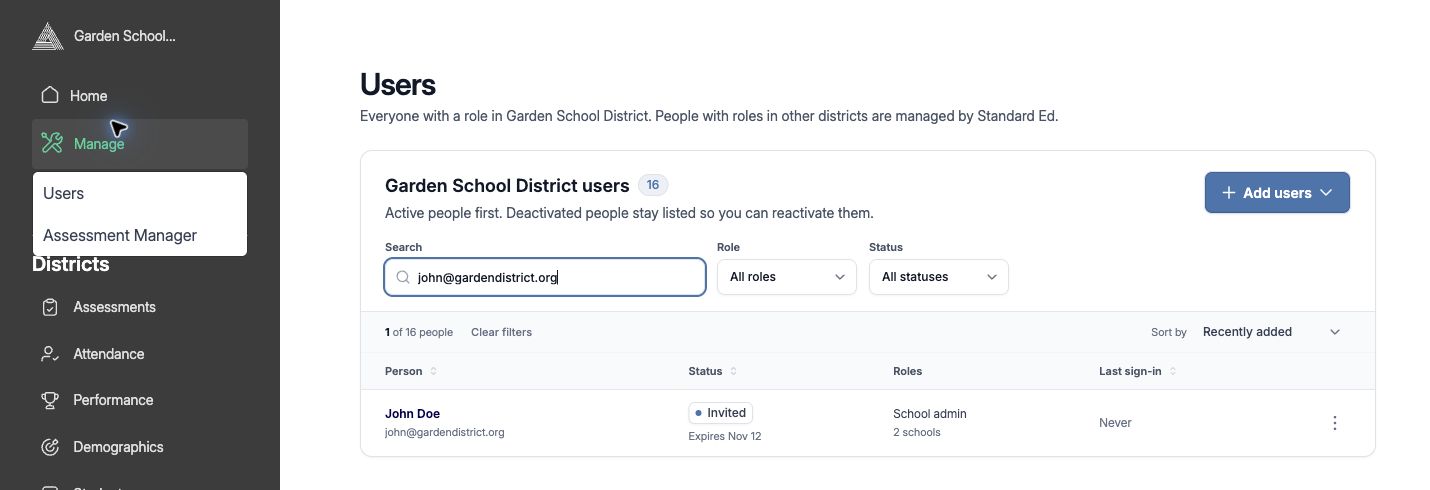
You no longer need to email us to add a teacher, change someone's school, or turn off access for someone who has left. District admins, district users, and school admins now have a Users page under Manage → Users, where you can add a person, choose their role and schools, and see when they last signed in.
Each role manages the people within its reach: district admins and district users manage their district, and school admins manage the people at their schools. Adding someone takes one short form, and the portal sends the right welcome for how your district signs in. When someone leaves, deactivate their account from the Users list; their history stays, and you can reactivate them later. You can also resend or extend an unaccepted invitation yourself.
Sign-In That Matches Your District
Accounts that sign in with Google or single sign-on now behave that way everywhere. If someone with a single sign-on account selects Forgot your password?, the portal points them to their sign-in button instead of sending a reset email that can't work. Signing in with Google or single sign-on also accepts a pending invitation, and invitation emails are clearer about what to do next.
FTE Optimization: A View for Schools
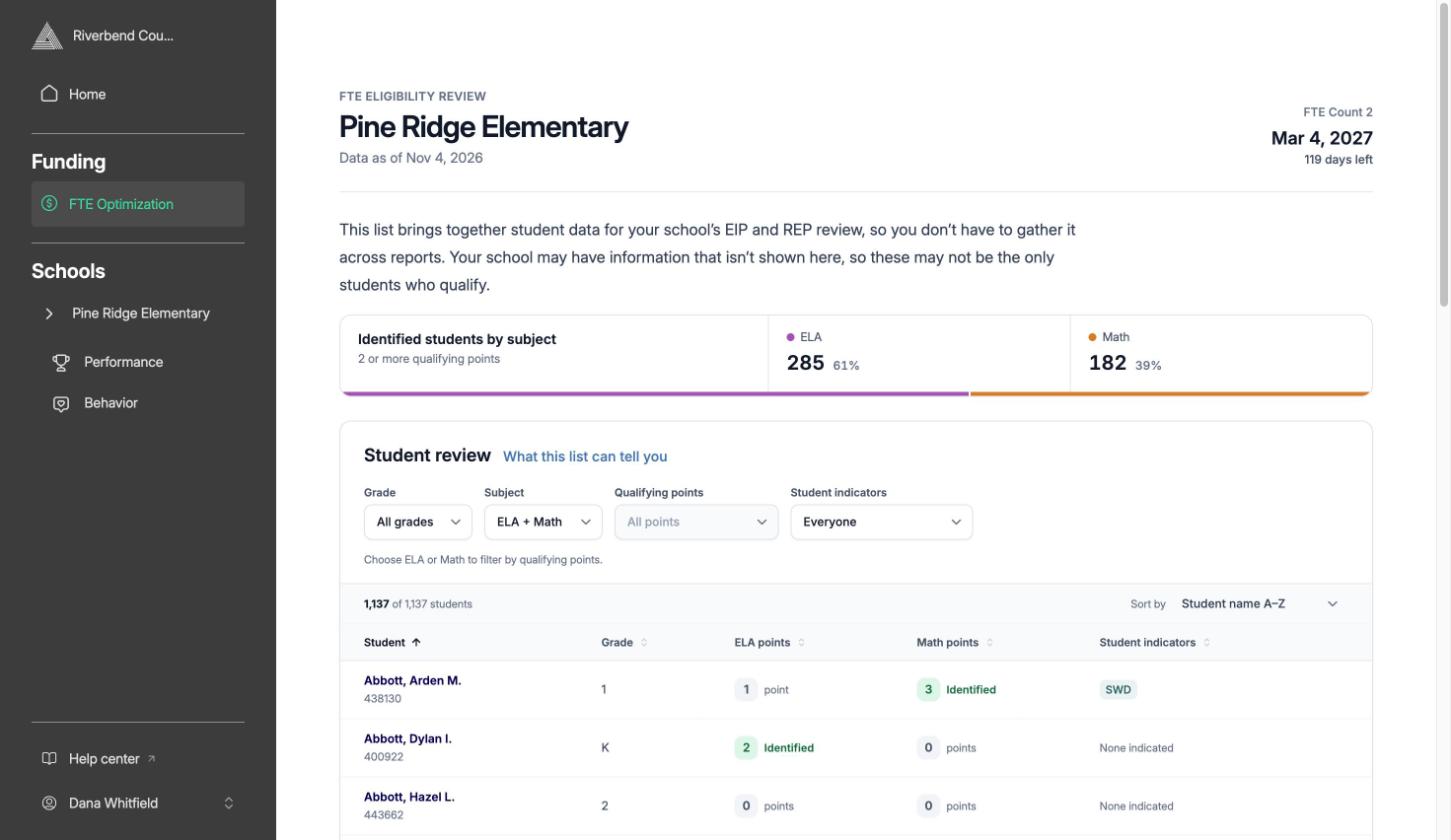
For Georgia districts using FTE Optimization, school leaders now get their own Overview. Instead of the district's funding view, it opens with a short explanation of what the list is for and a count of identified students in ELA and math, followed by the Student review list for their school. The focus is on making sure every eligible student is identified and served.
The Student review list now shows every student with their qualifying points in each subject, so you can see who is close as well as who already qualifies. Filter by subject, points, and indicators such as students with disabilities and students served in ESOL, and sort by any column. Students who have withdrawn no longer appear. The list is a starting point for your team's judgment, not a replacement for it.
Help Center, One Click Away
A Help center link now sits at the bottom of the portal sidebar and opens our knowledge base in a new tab. Log out has moved into the account menu under your name.
Learn how: Navigating the Portal
Improvements & Fixes
- AEPS-3 exports from AEPSi now upload exactly as downloaded, including the report title rows, with no manual cleanup.
- Re-uploading a Georgia Milestones EOG or EOC file replaces the matching results instead of adding a second copy.
- ACT scores marked "--" or "n/a" now import as blank instead of zero.
- We tightened access controls around screener rosters and administrative pages.
See How Standard Education Can Help Keep a Pulse on Your District
We're dedicated to student success. Our real-time dashboards provide the insights to transform educational strategies, ensuring every student has the opportunity to thrive.
Subscribe to the Report Card
Join us for the latest updates on our platform and customer success stories—right in your inbox.